Math Practice in Microsoft OneNote
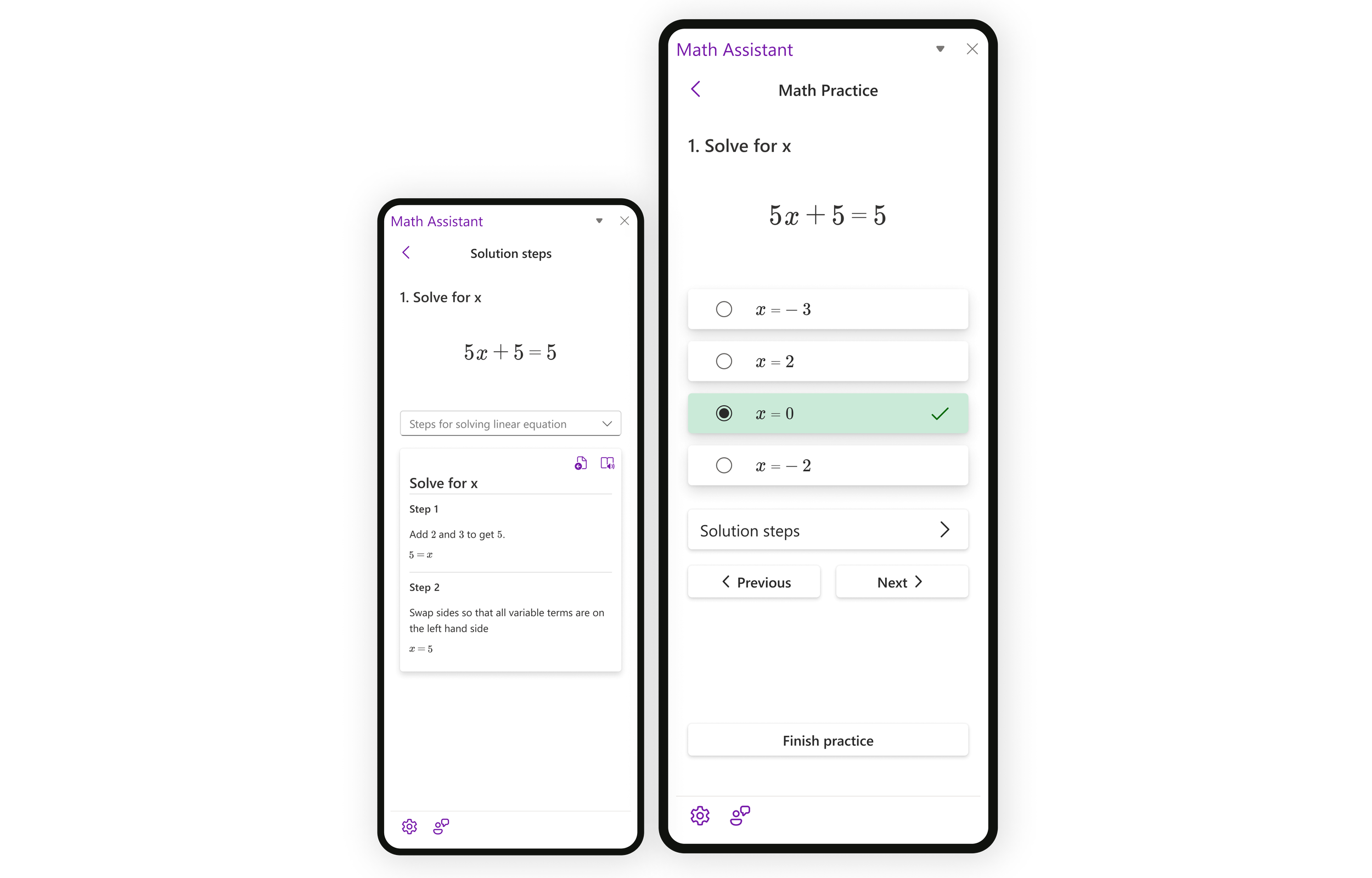
Math Practice helps you practice math by generating problems based on an equation you're solving and is now embedded in the Math Assistant feature in OneNote.
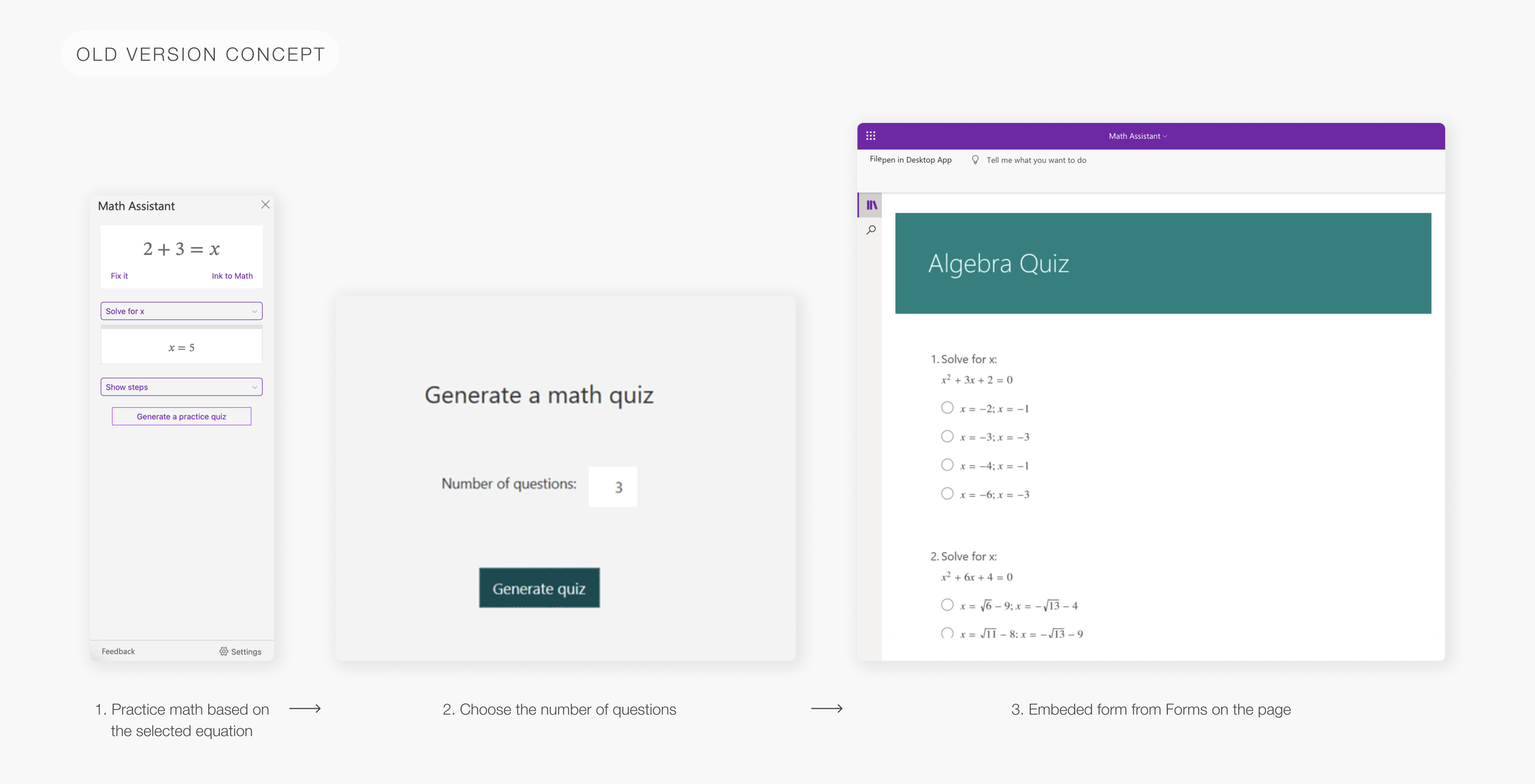
The previous version was working with Microsoft Forms to create a practice quiz and embed it on your OneNote page. Instead of quizzing, now you can practice on an unlimited number of questions with Math Coach help.
I was working as the lead designer on this project.
Role & Timeline
I worked on Math Practice as part of the Math Assistant project as a sole designer from the Microsoft math team. I covered the whole project in this portfolio so you can check it out - Math Assistant.
Here I wanted to talk in more detail about Math Practice. I worked on redesigning the old solution with an embedded Forms quiz. I did research, user testing, concepts, early wireframes, UX flows, and UI components. Math Practice is now a part of OneNote with a lot more possibilities for students.
Previous version
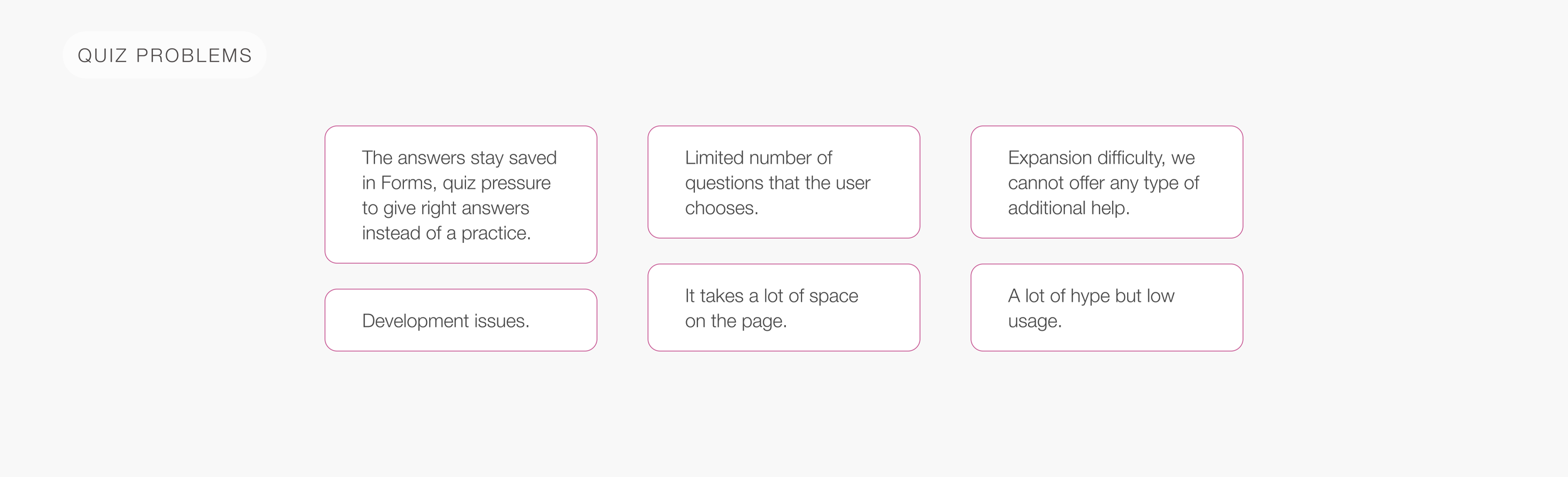
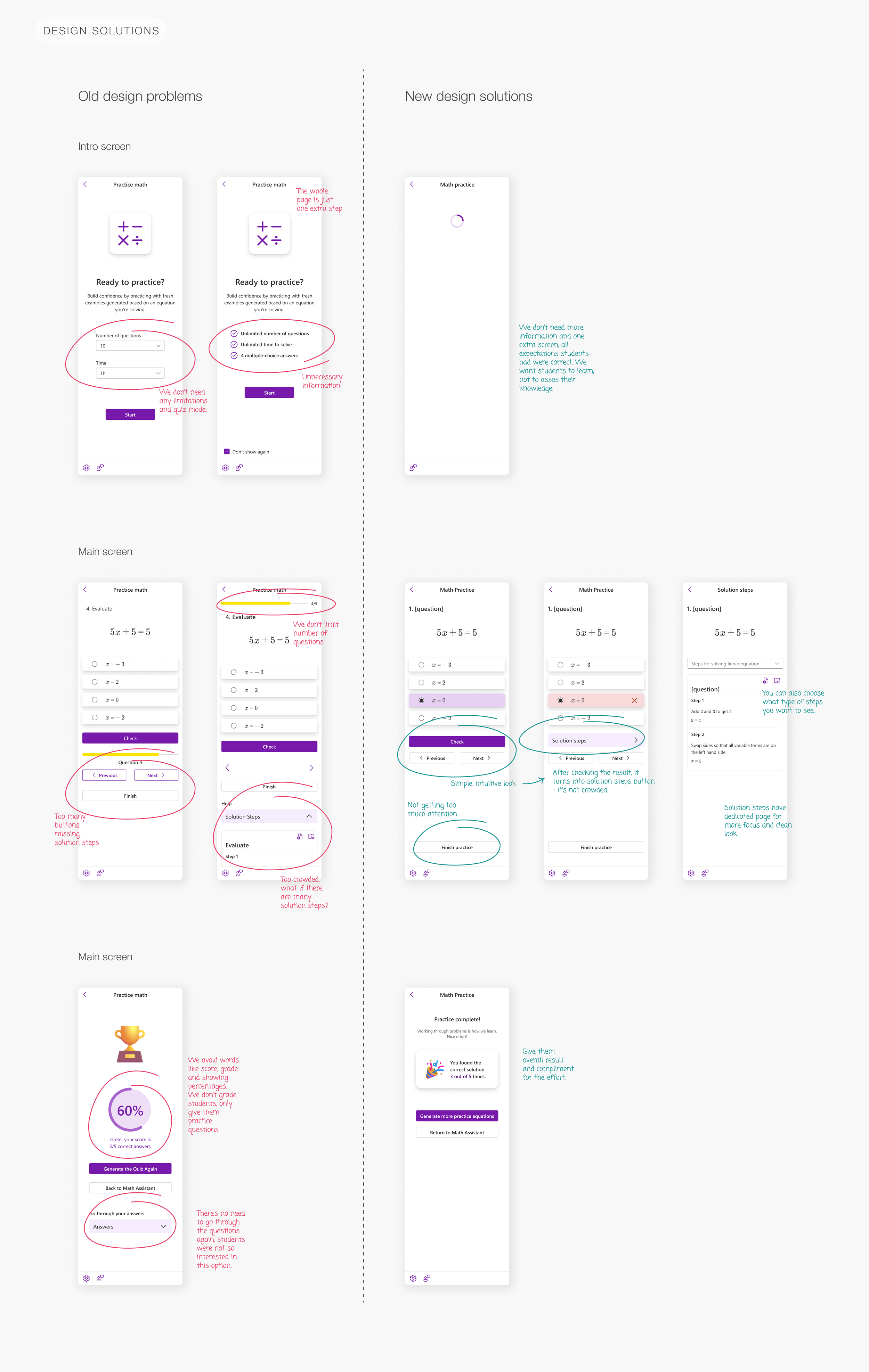
The old version, Practice Quiz, embedded questions from Forms. We run into a lot of problems with it and wanted to change the whole concept:
Research
The first step was doing research on how similar platforms work. Most of them offer help in form of solution steps or sometimes quizzes.
My goal was to give students an option to practice math, without pressure, on an unlimited number of questions so they can learn math.
How to improve the concept & user experience?
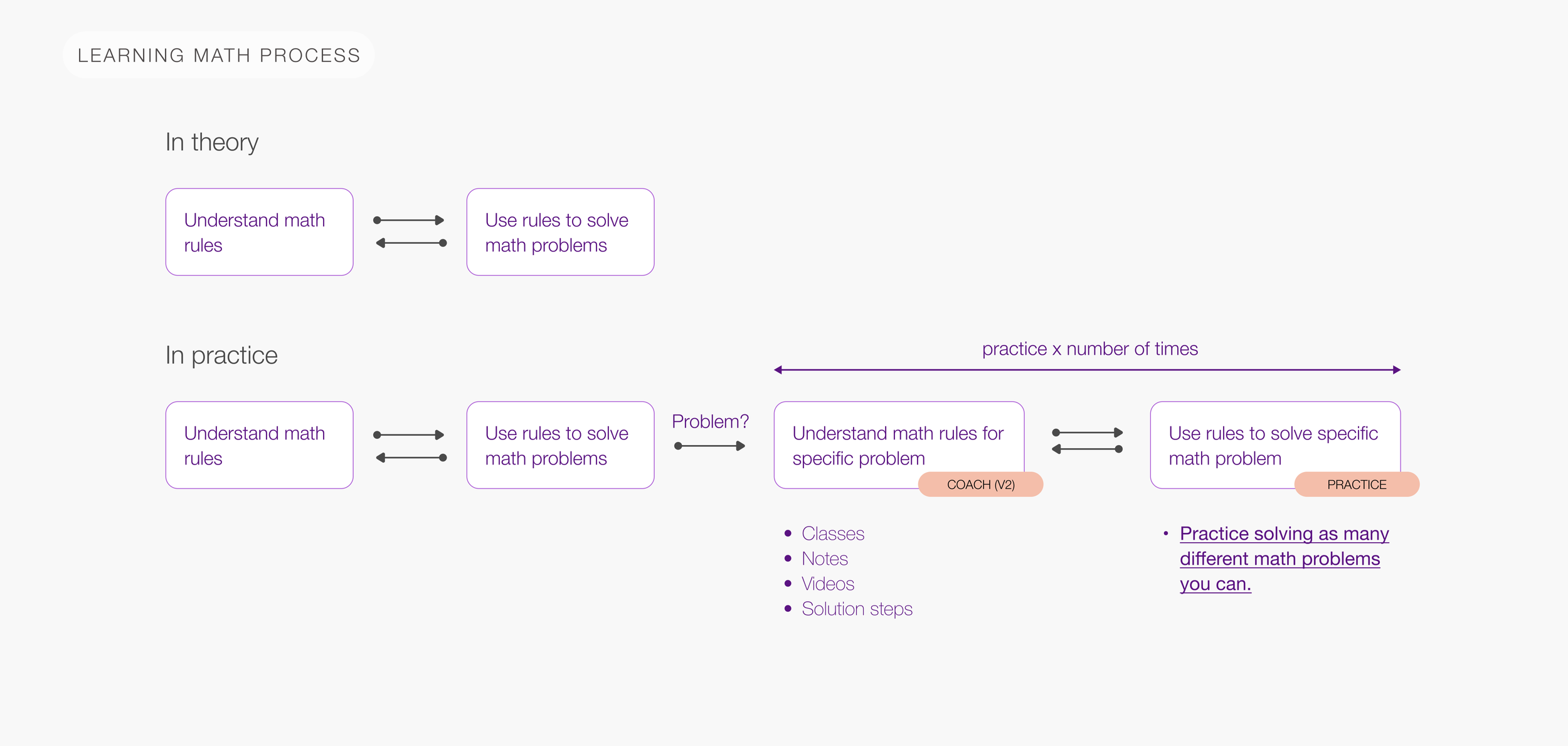
To fully understand the problem and the goal, I started thinking about how students actually learn math and how we can help them.
How to learn math?
How to solve math problems digitally?
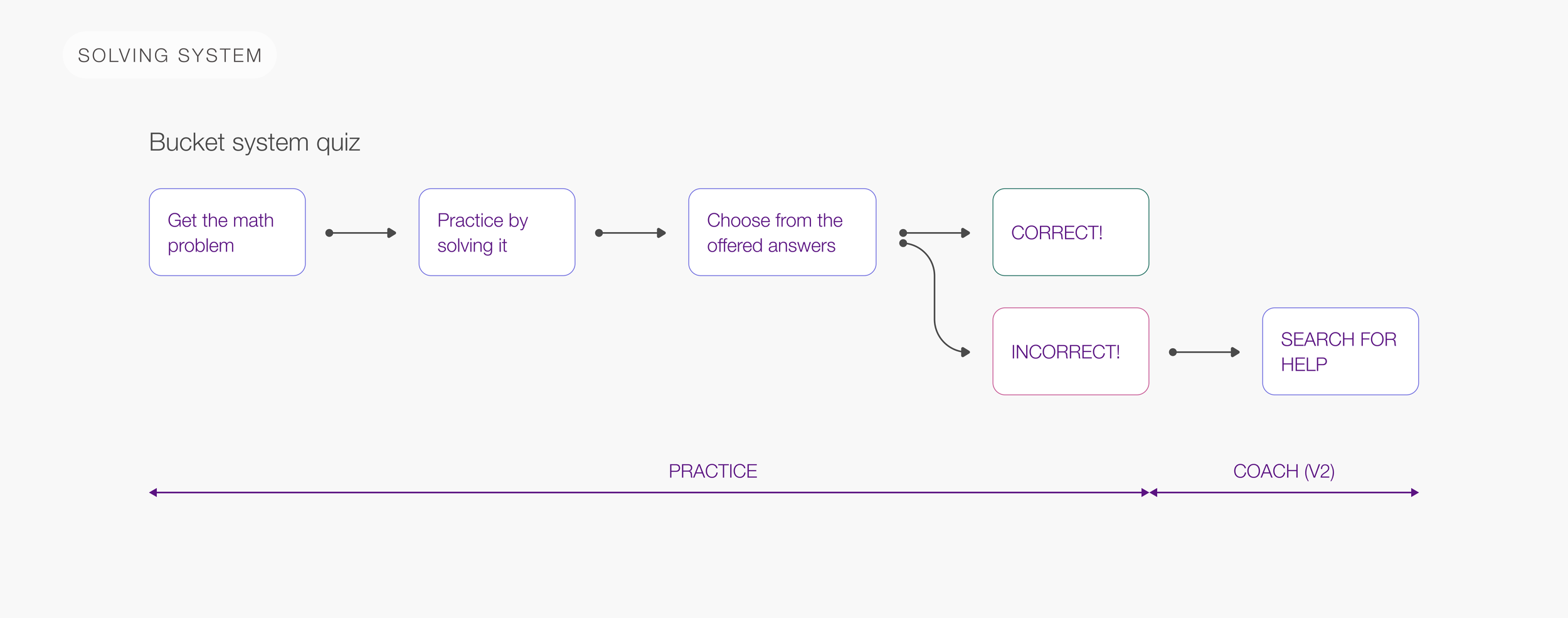
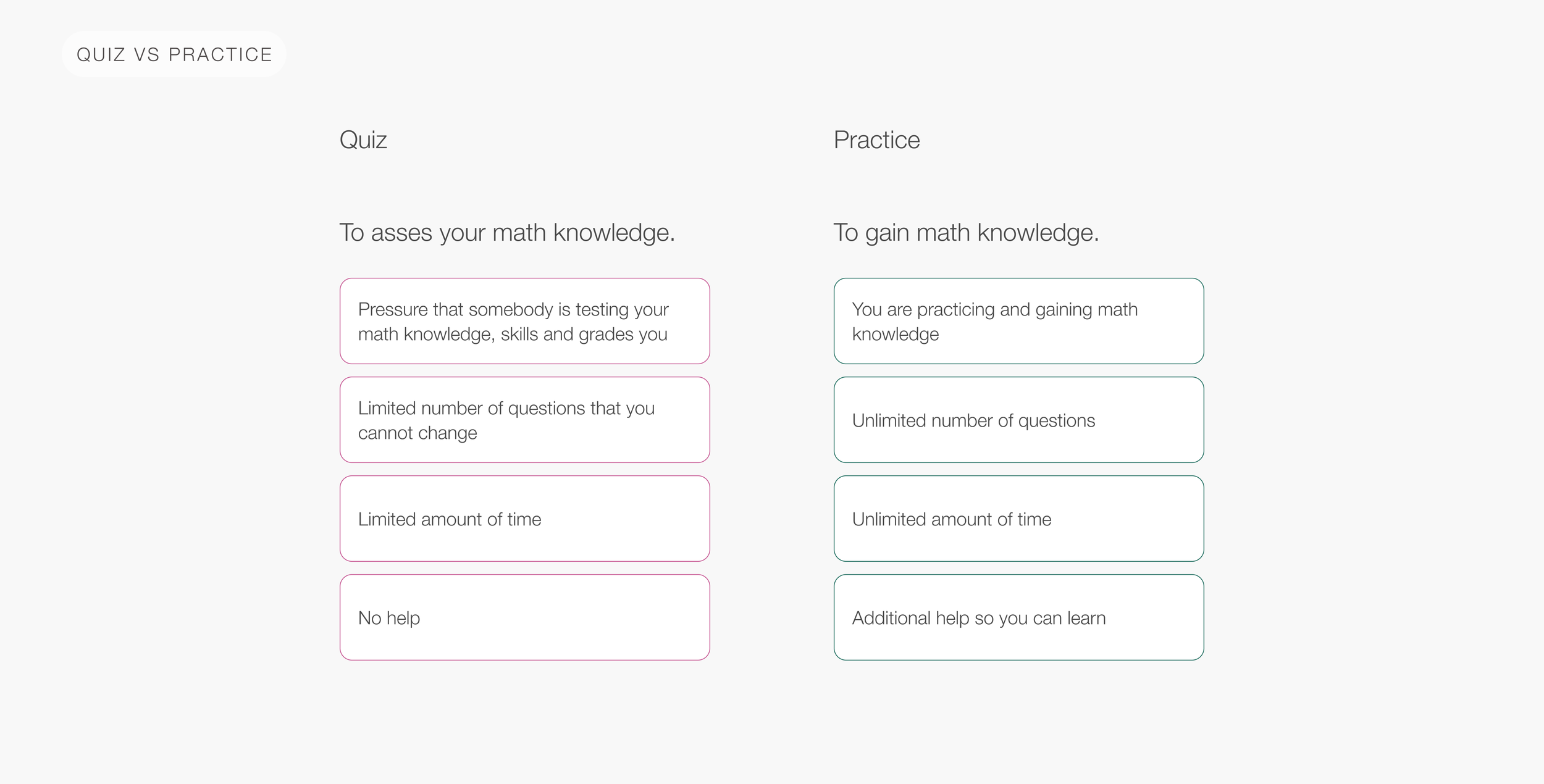
Concept - Quiz vs practice
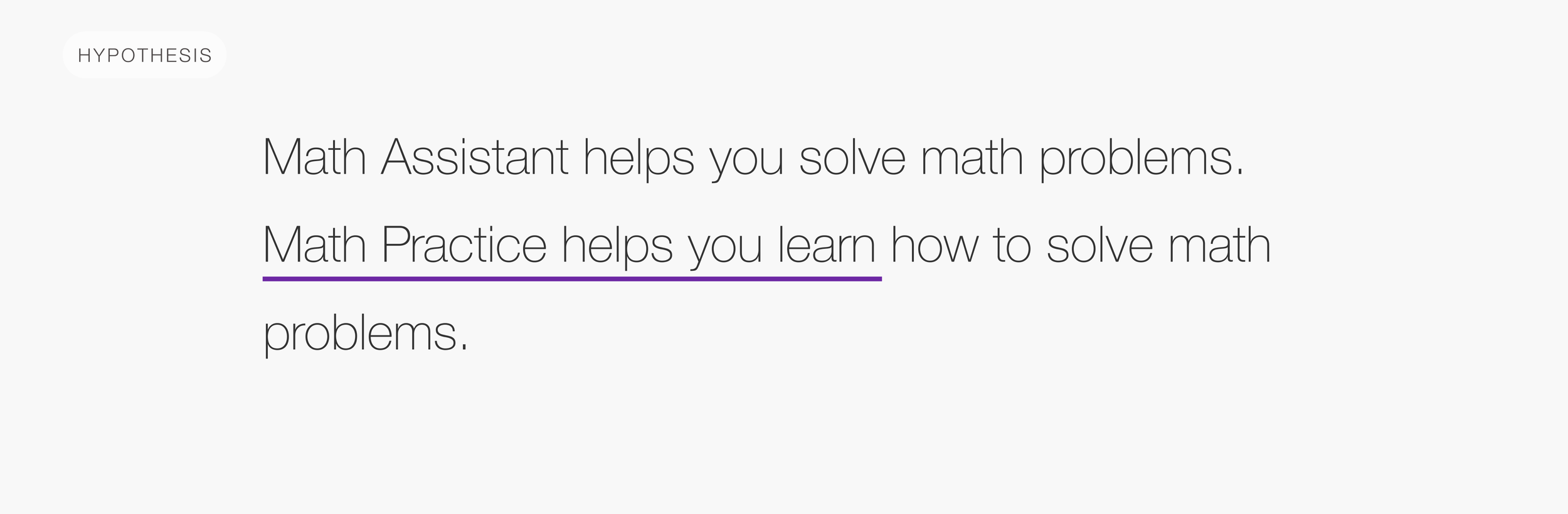
And finally, I managed to get to the core of the problem:
User testing and design iterations
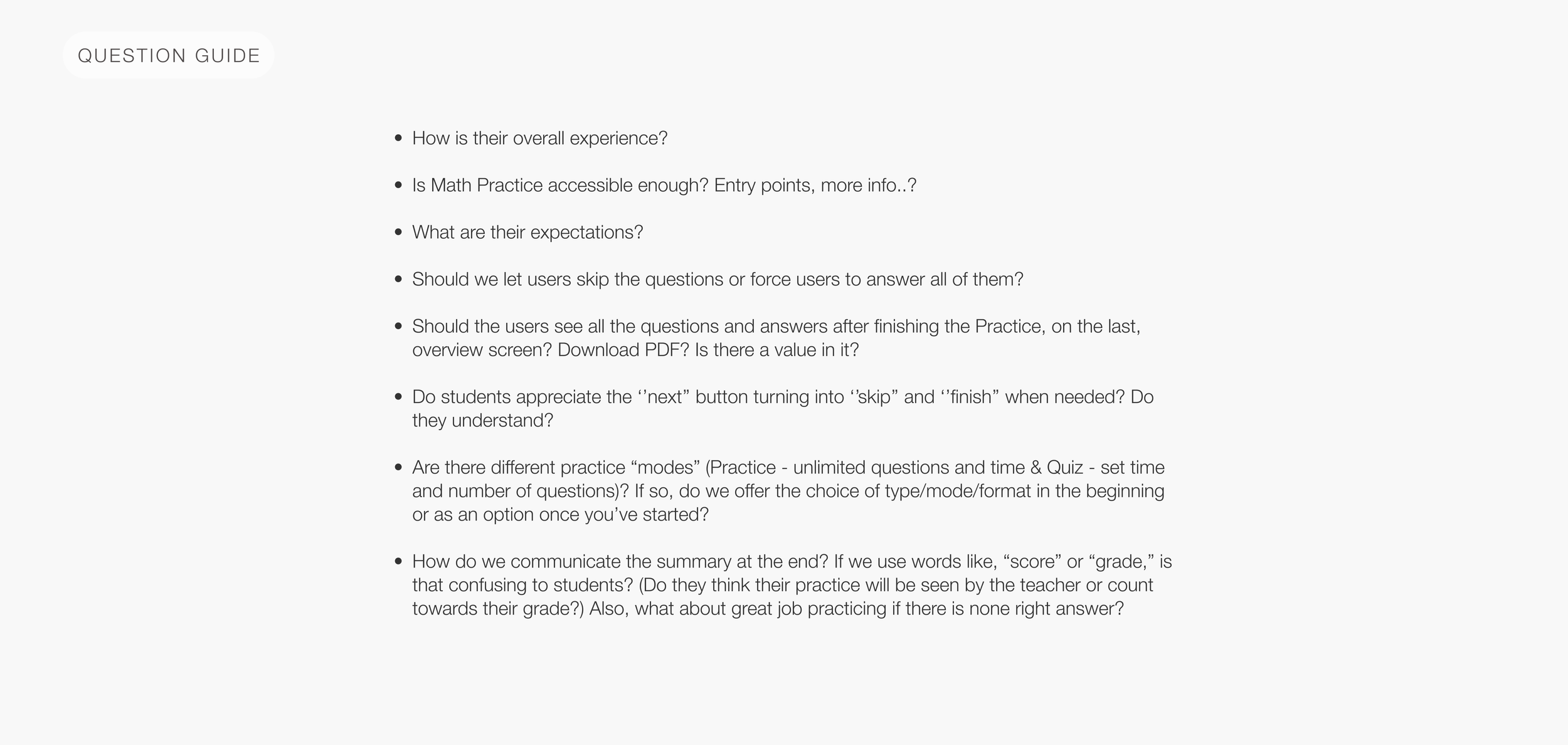
I designed the first screens so I can talk to students and do user testing. I did multiple testings on about 15 middle and high-school students. Each of them went through the whole Math Assistant and Math Practice flow and got about 25 questions. To summarize them, here is my question guide:
Conclusions for Math Practice
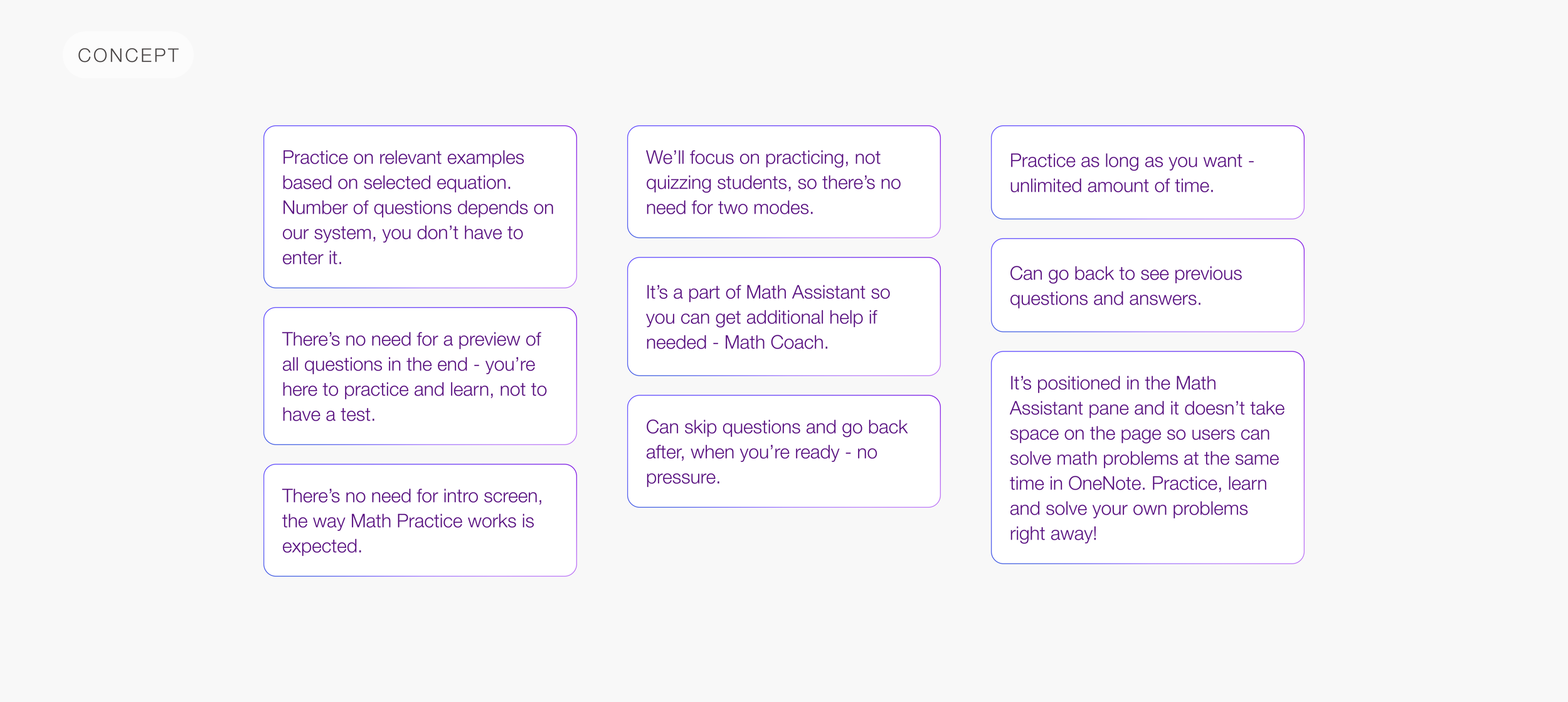
Based on the testings I was able to conduct main concept conclusions:
Design iterations
I did multiple design iterations and addressed the problems:
Results
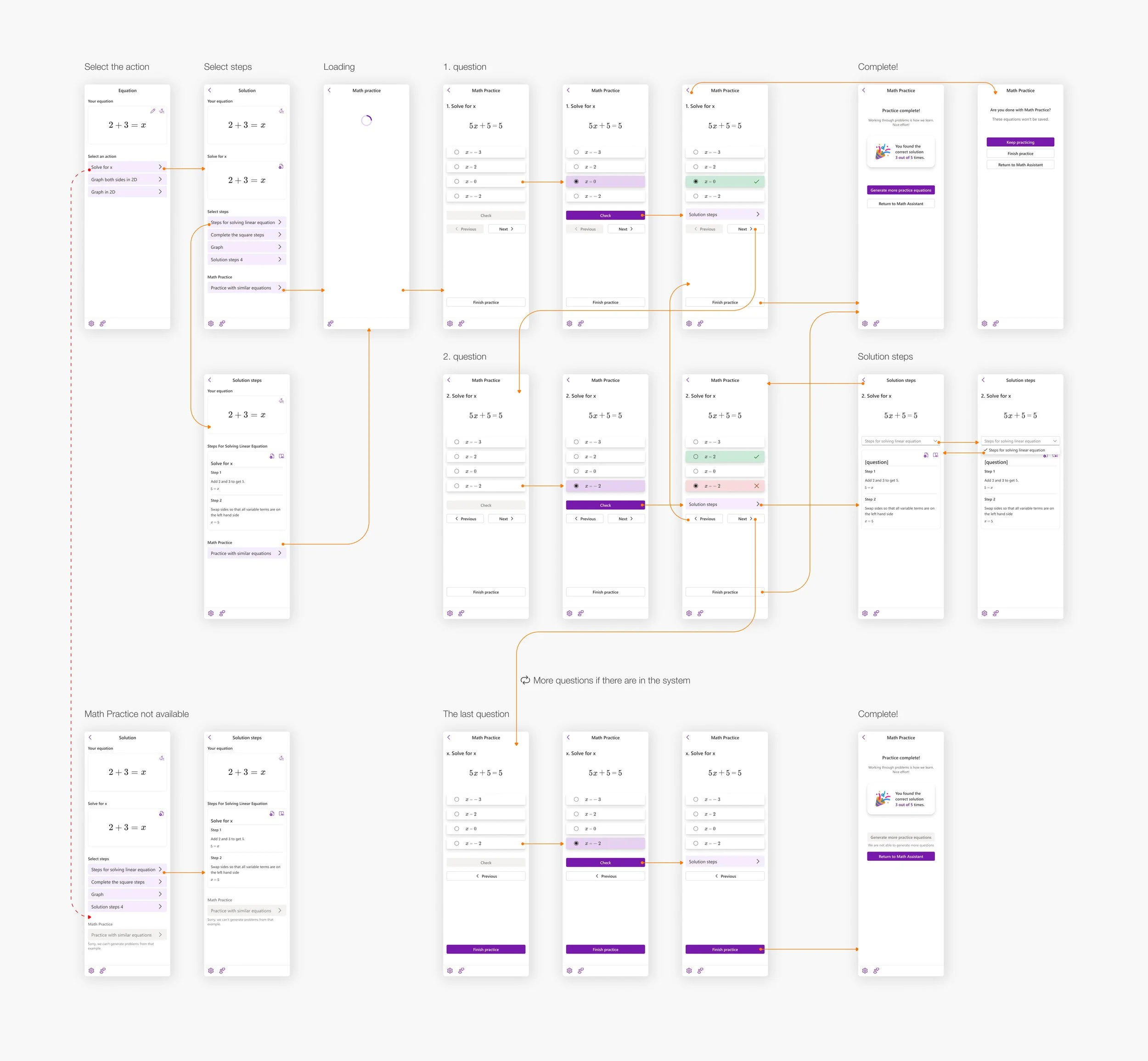
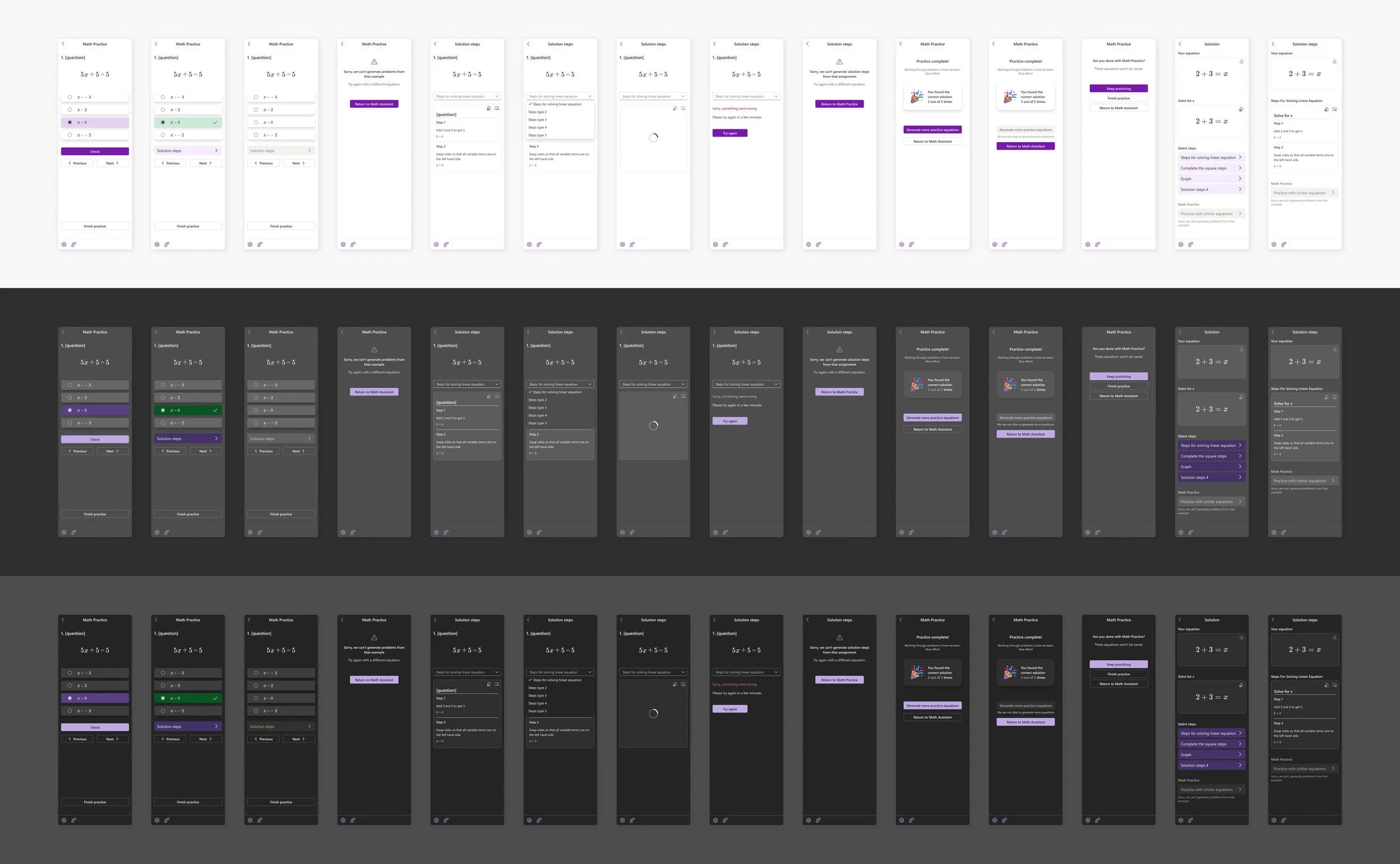
As the result, I got a clean and intuitive design system. Here are the screens and simplified flows. Because of the platform standards and accessibility, I design light, grey and dark theme: