
Math Progress in Microsoft Teams
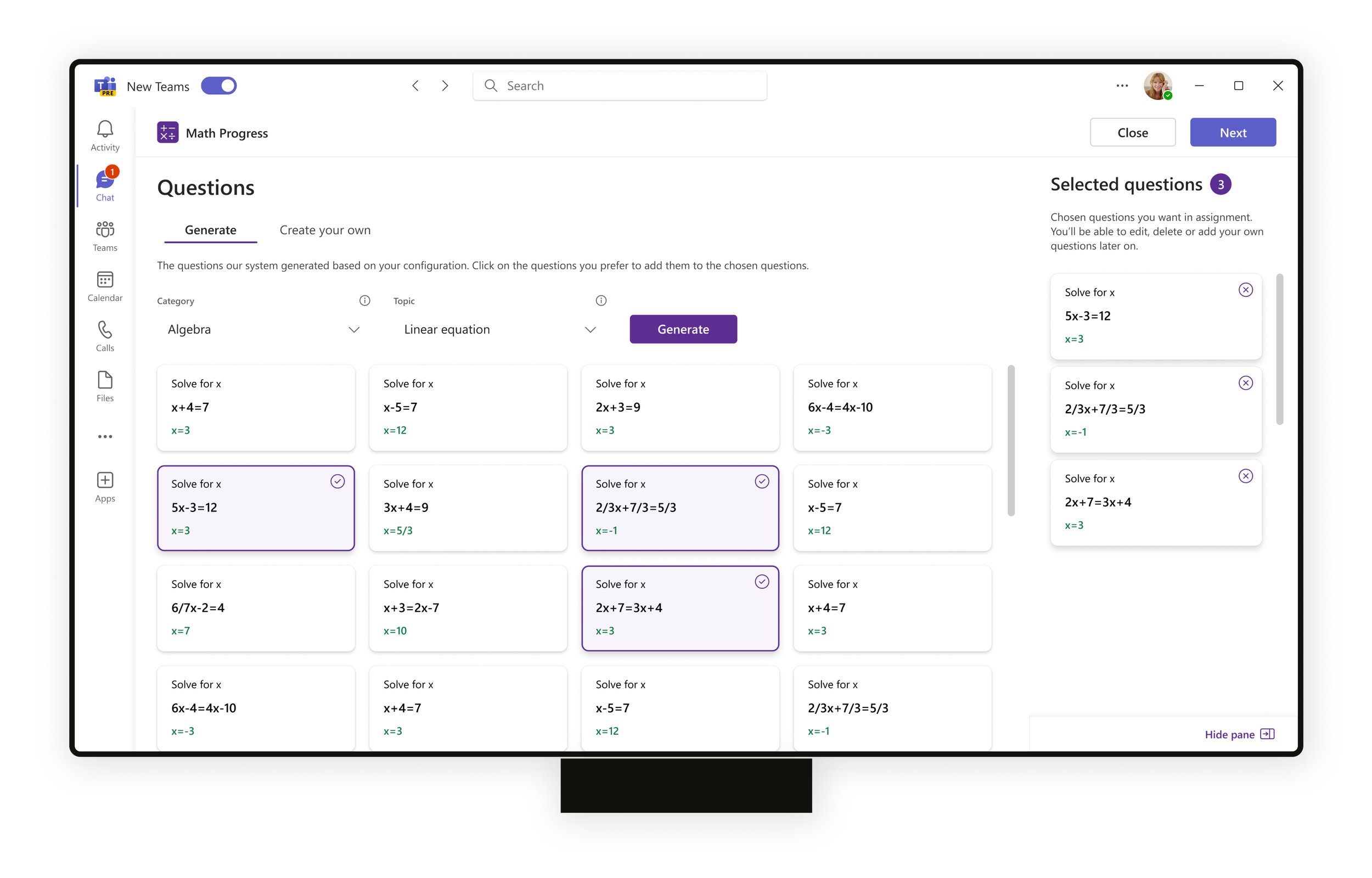
Math Progress helps teachers create assignments and streamline the review process for individual students and classrooms.
I worked on this project as the lead designer from the beginning.
Math Progress will be available as part of the Learning Accelerators within Microsoft Teams for Education in preview in the 2023-2024 school year.
Role & Timeline
I worked on Math Progress from Nov 2022 until May 2023 as the lead designer on the project.
First I worked on developing the concept, researching and conducting user testings with math teachers from US and UK. After decision on what was in the scope and what was for the next version, I started working in more detail on the UX flows and UI elements.
I worked closely with Microsoft education design director Paul Ray, the rest of the EDU Microsoft design team, the Math team from Serbia with development and PM, user researchers and content creators.
Following my work, the project continued with the core ideas, concept and much of the original UI intact, reflecting my foundation work even as other design team members refined certain elements.
Part of Learning Accelerators
Besides Math Progress, Microsoft EDU is introducing Math Coach which provides students with additional practice, real-time feedback, and helpful tips.
Both Math Progress and Math Coach will be available as parts of the Learning Accelerators - a new category of learning tools included in Microsoft 365 Education that helps streamline the creation, review, and analysis of practice assignments while providing students real-time coaching along the way to help them catch up, keep up, and get ahead.

Announcement
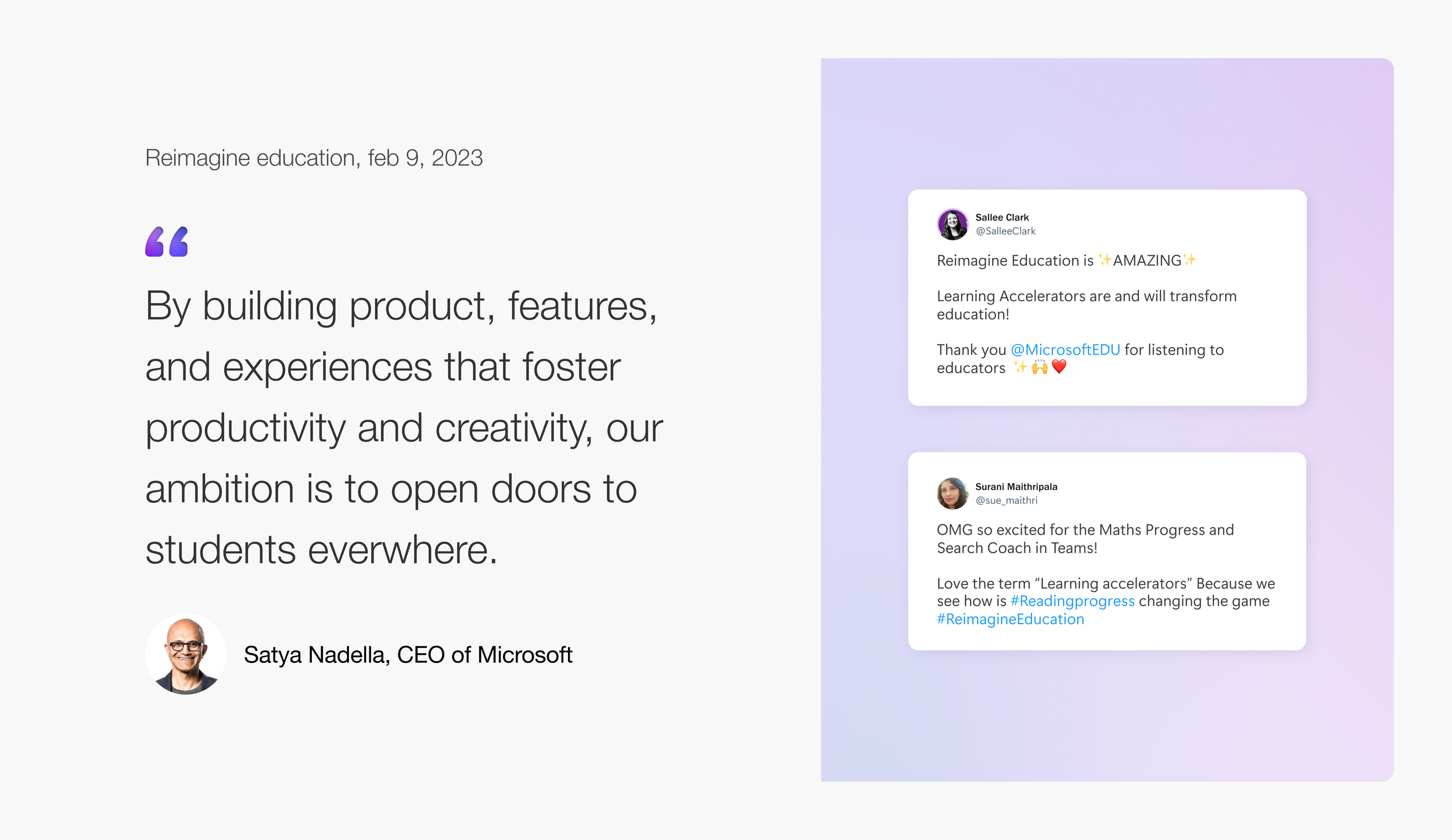
Math Progress and the rest of the Learning Accelerators were announced at the Reimagine event. This Microsoft Education digital event aired on February 9, 2023. Watch to hear the latest from Microsoft Education:
Problem
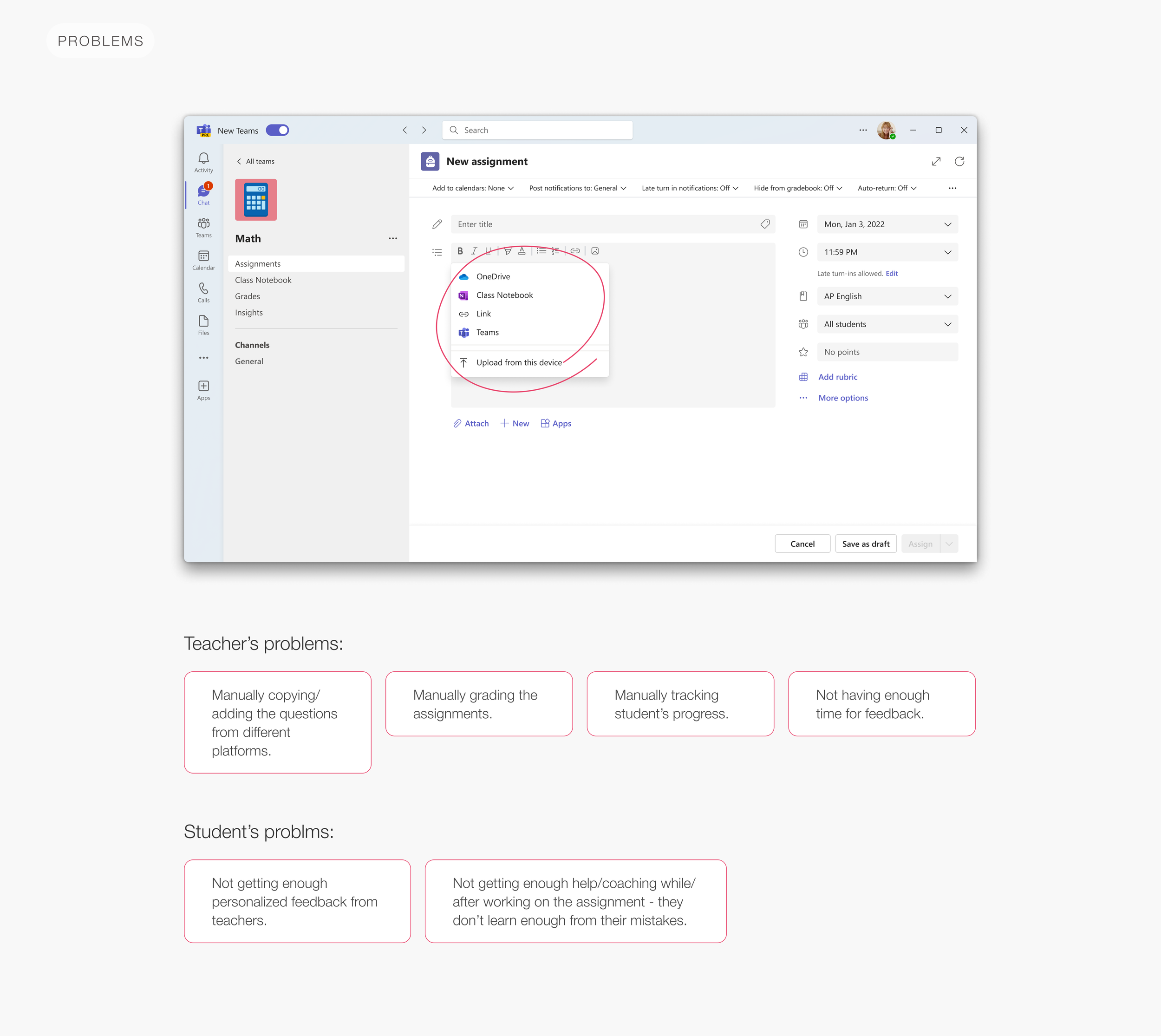
To understand the problem I did research and testing on how teachers make assignments for their students in Teams without Math Progress at the moment. Here are some of the main problems:
Research & hypothesis
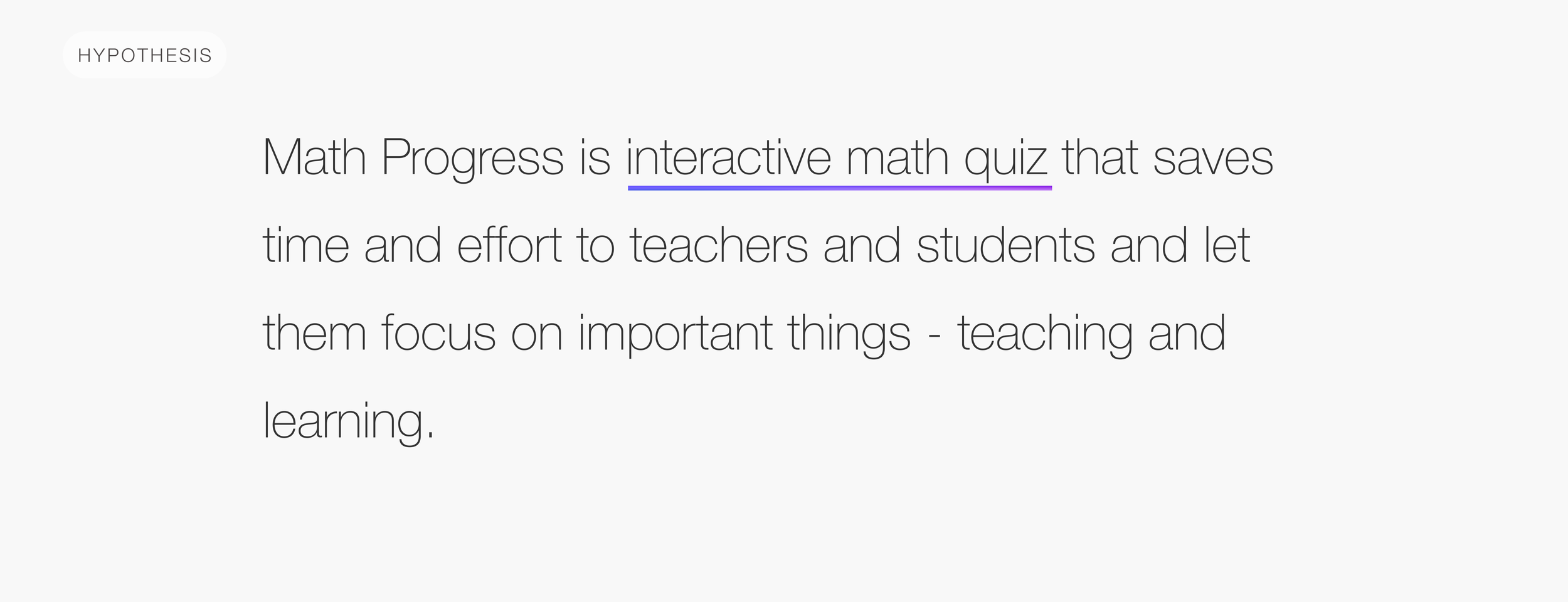
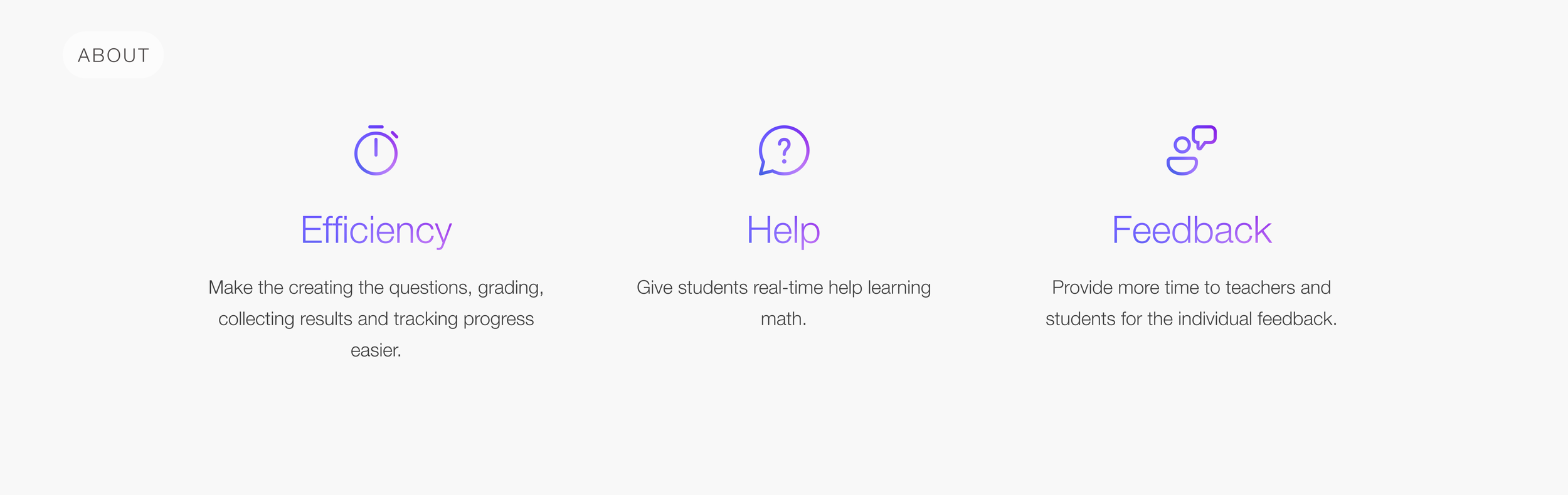
Based on the problem and research I made some early design screens, wireframes and hypothesis:
User testings and concepts
Besides researching what we had before in Teams and other similar software I had to conduct user testings.
I talked to more than 50 middle and high school math teachers mostly from US and UK. We went through the wireframes together and discussed the project.
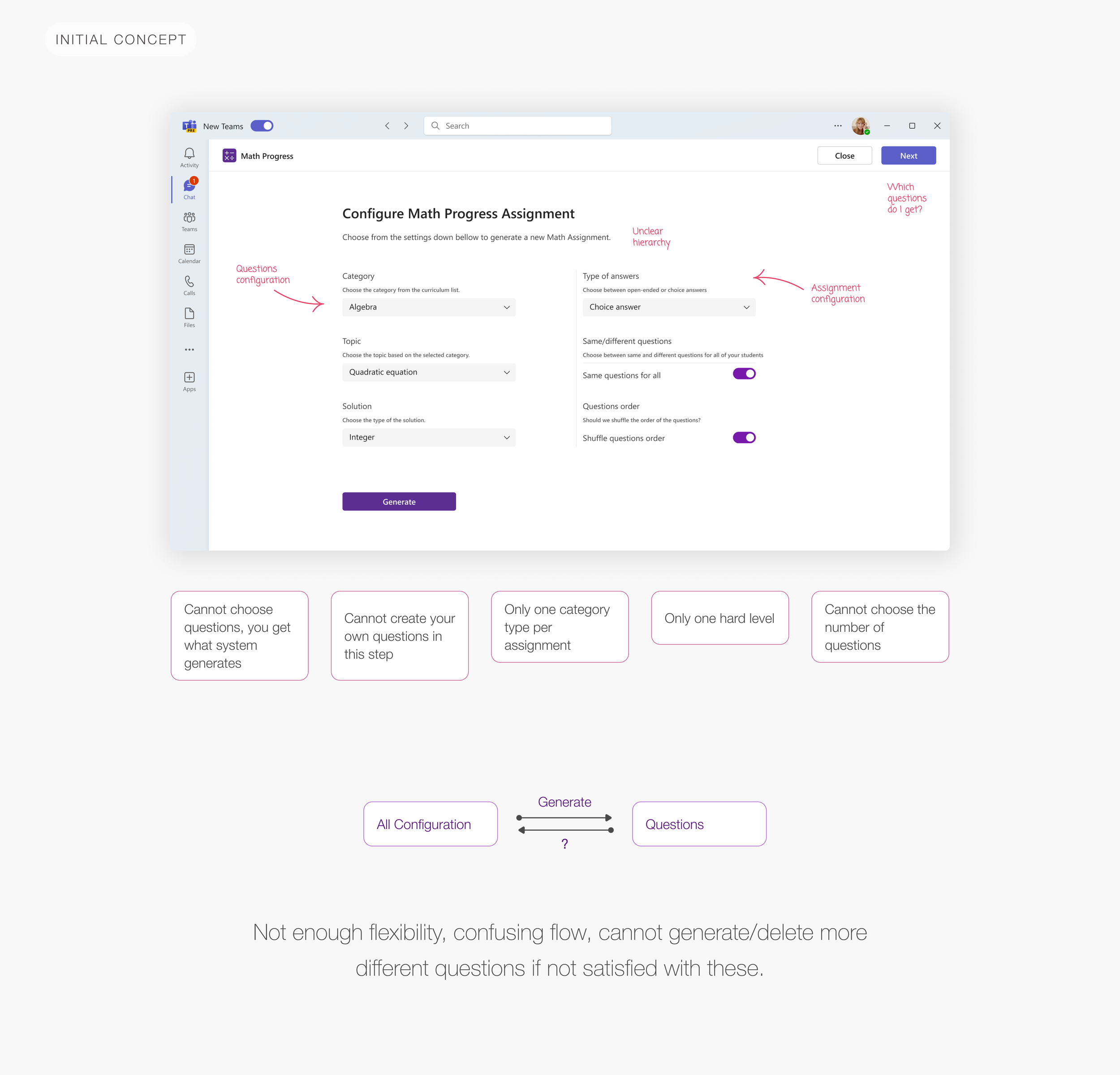
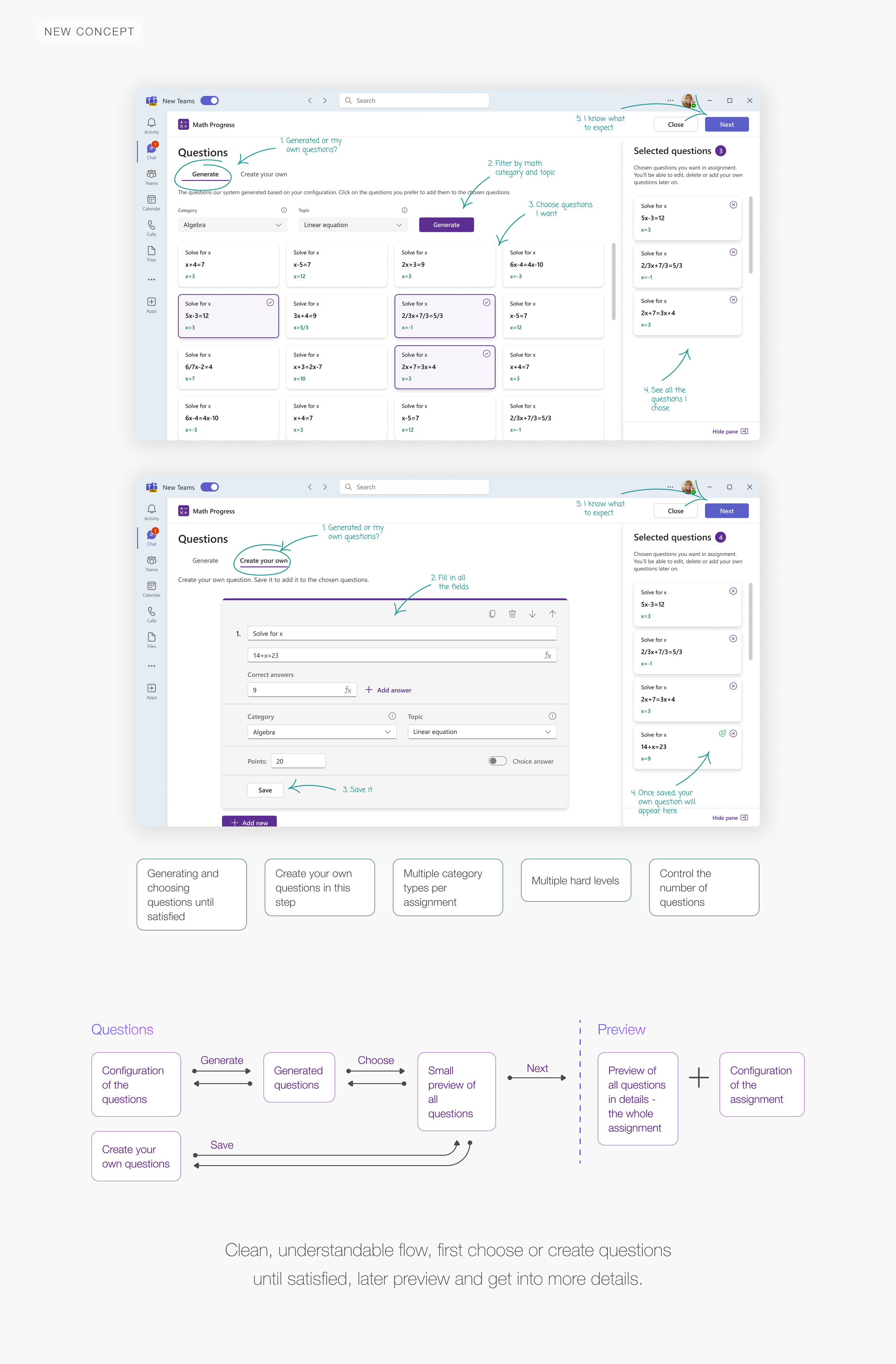
Here’re some screens to show how the testing impacted the design changes over time while talking to the teachers:
Results
When the concept phase was done, I focused on more details covering all UX flows and cases and UI elements. Here’re all the flows and the results:
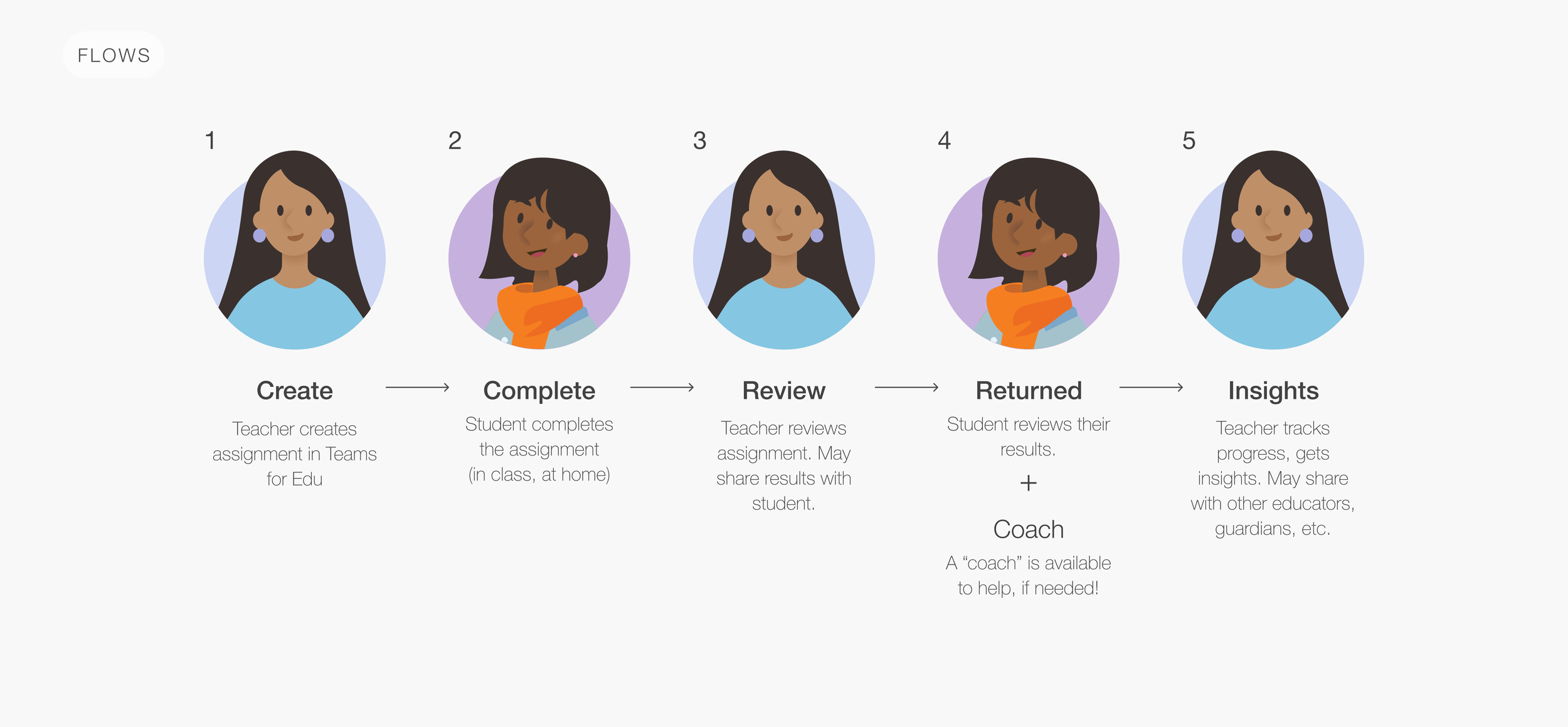

1. Create flow
In the first Create flow, the teacher has to create the assignment for their students.
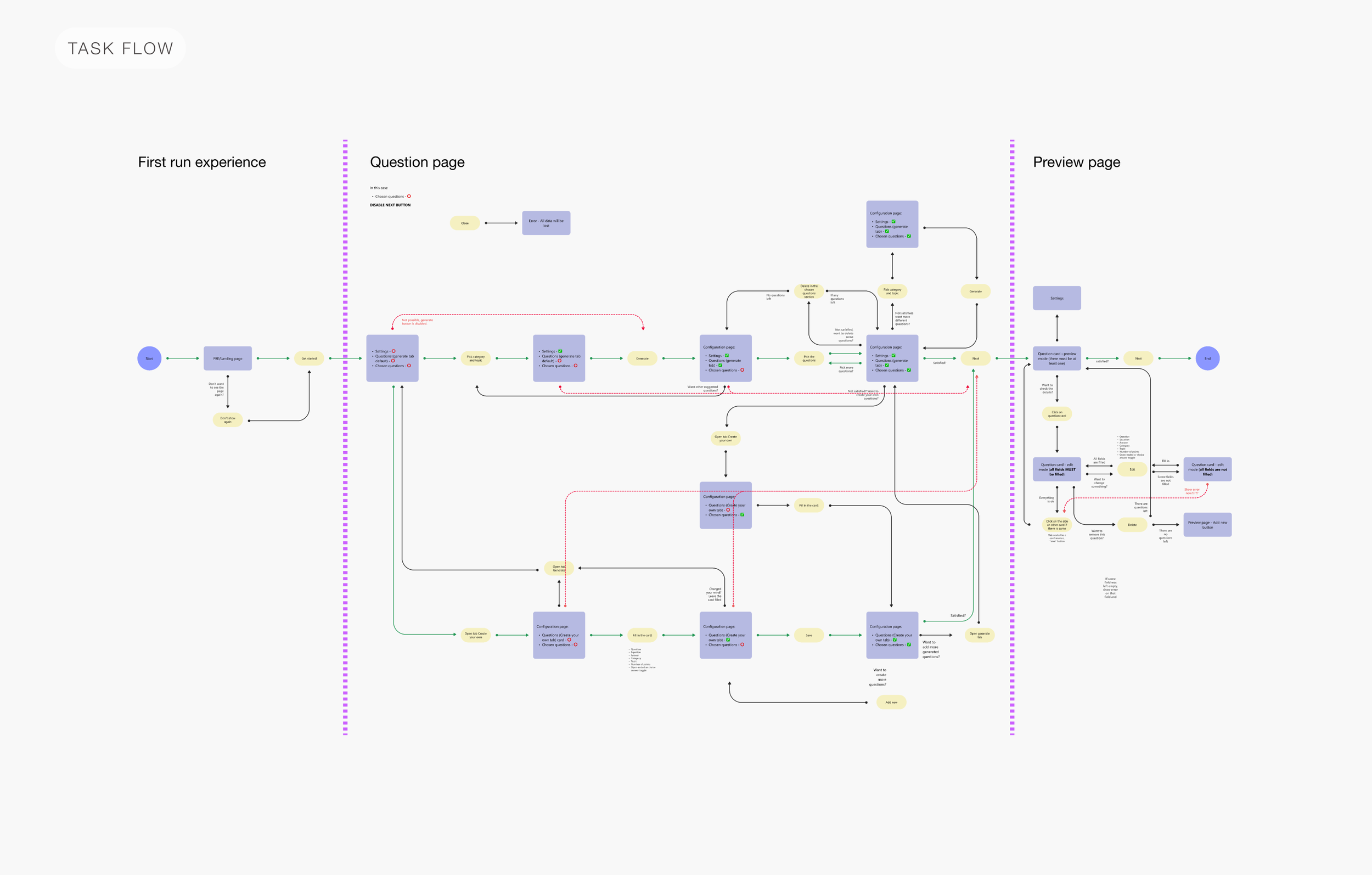
To better understand and cover all flows, edge/error cases I created the task flow. This also helps developers and the rest of the team understand the logic and architecture better.
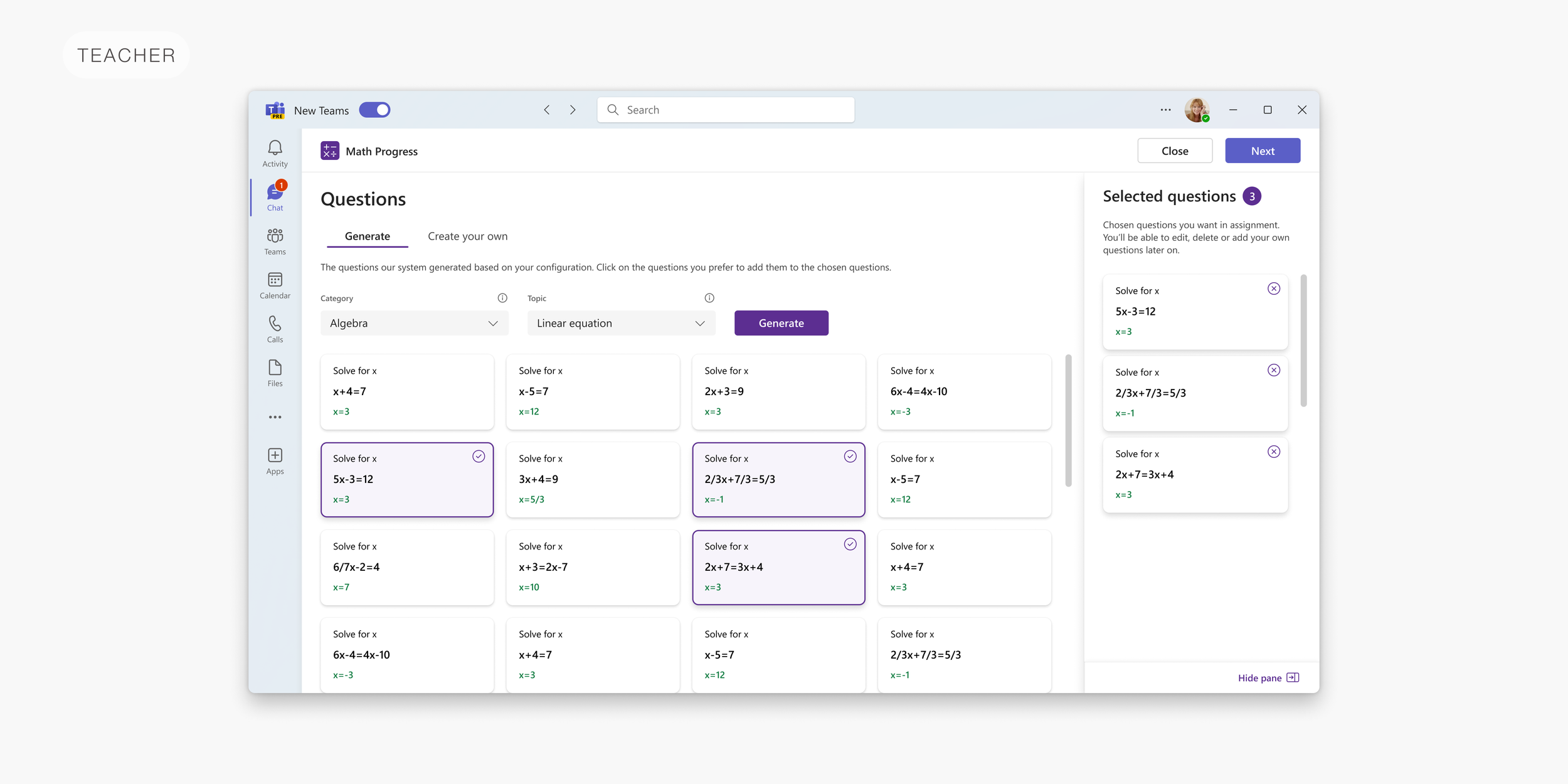
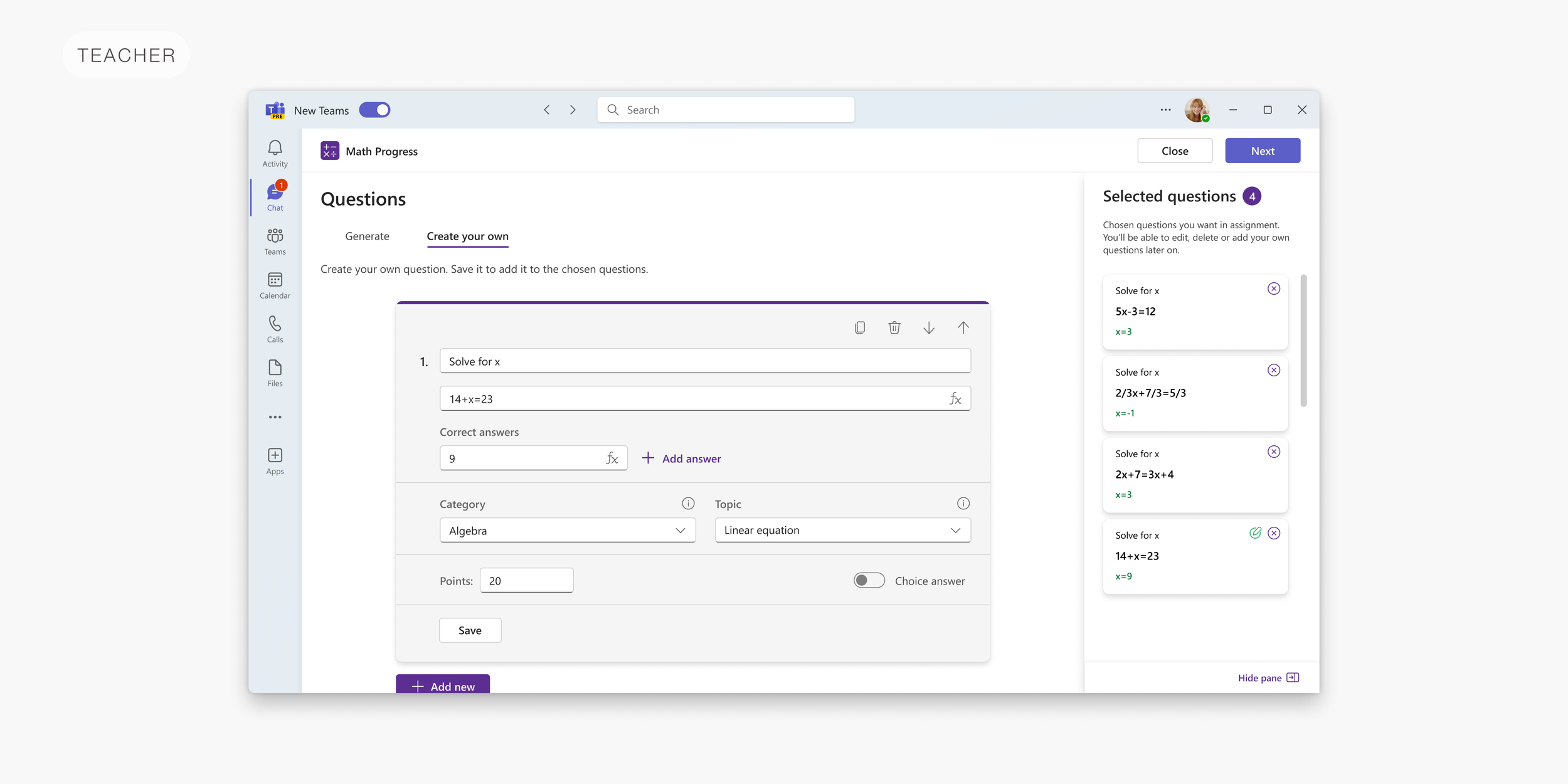
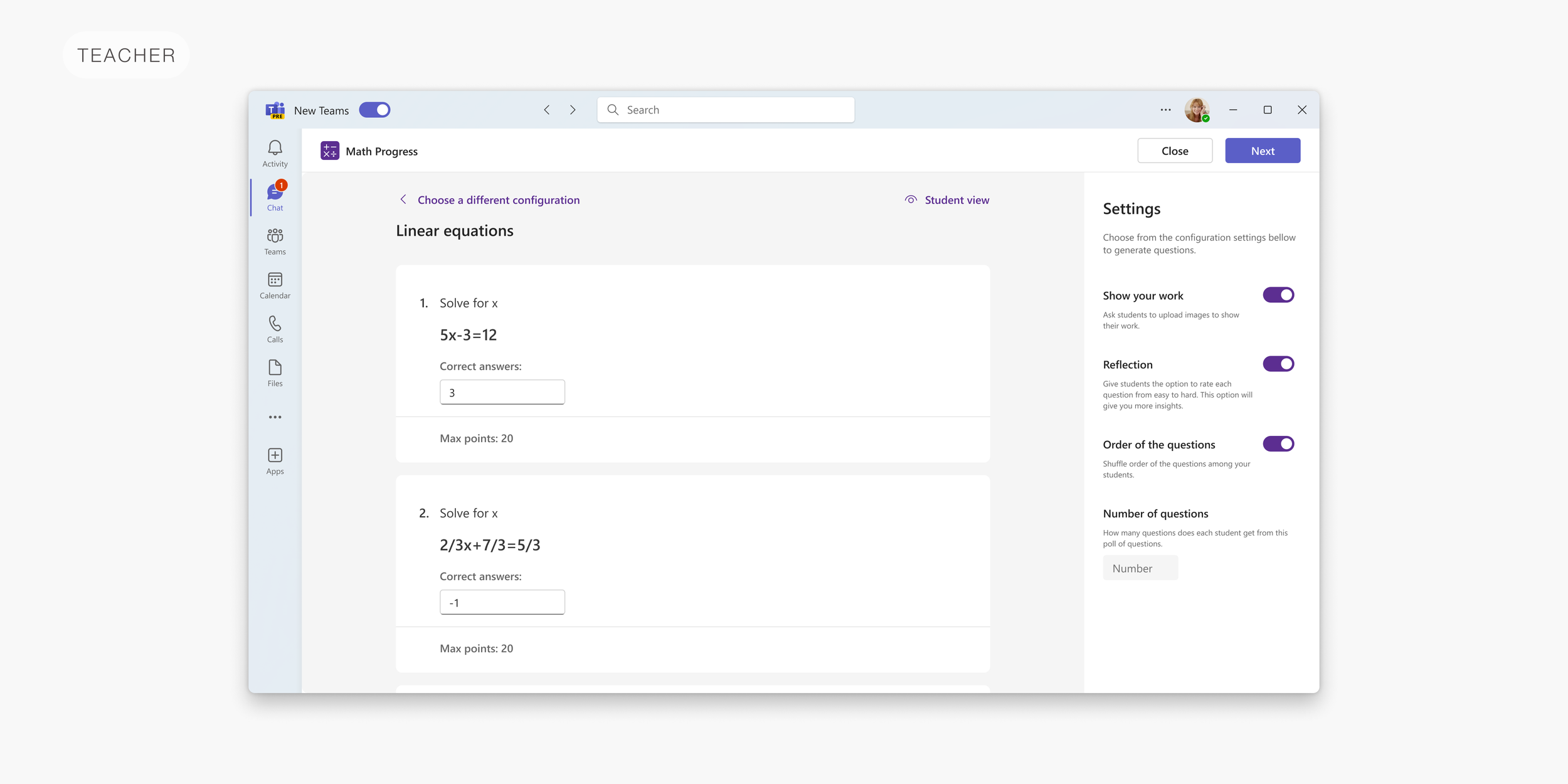
On the Questions page, we offer them generating questions from our base with a lot of different math problems they can choose from. They are able to filter them by category and topic for now. Also, they can create their own questions. Once they choose generated questions or save the created ones, those will appear in the selected questions section (kind of like the shopping cart concept). Once they’re satisfied with the questions they can go to the next Preview page.
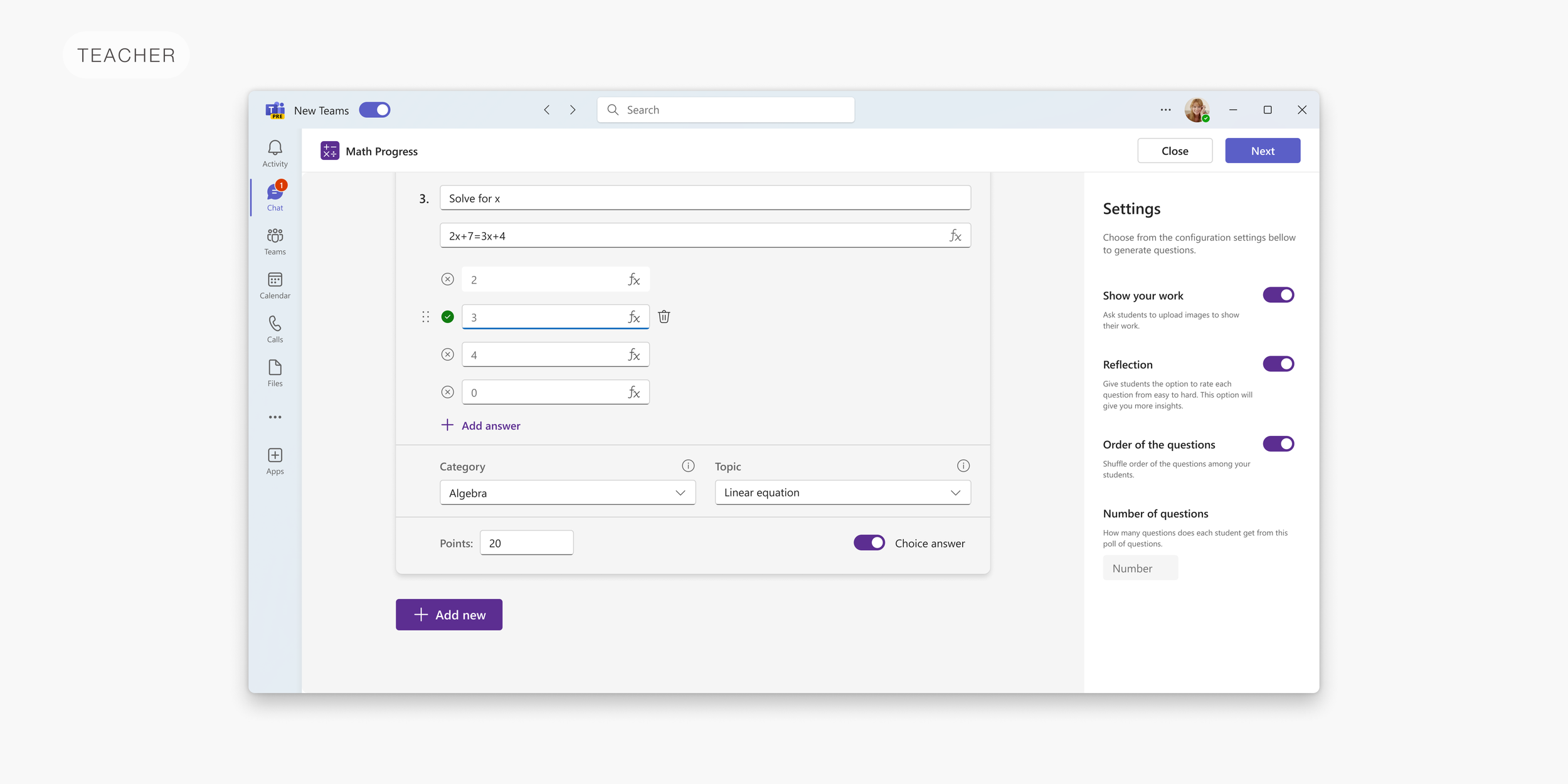
On the preview page, they can see the questions and answers in more detail. They can edit, add more or delete all the questions and answers. They can also change the answer type from open-ended to choice. Also, here’re all the settings where they can ask students to upload images as proof of work, change the order of the questions for all the students to prevent cheating, etc.
2. Complete the assignment flow

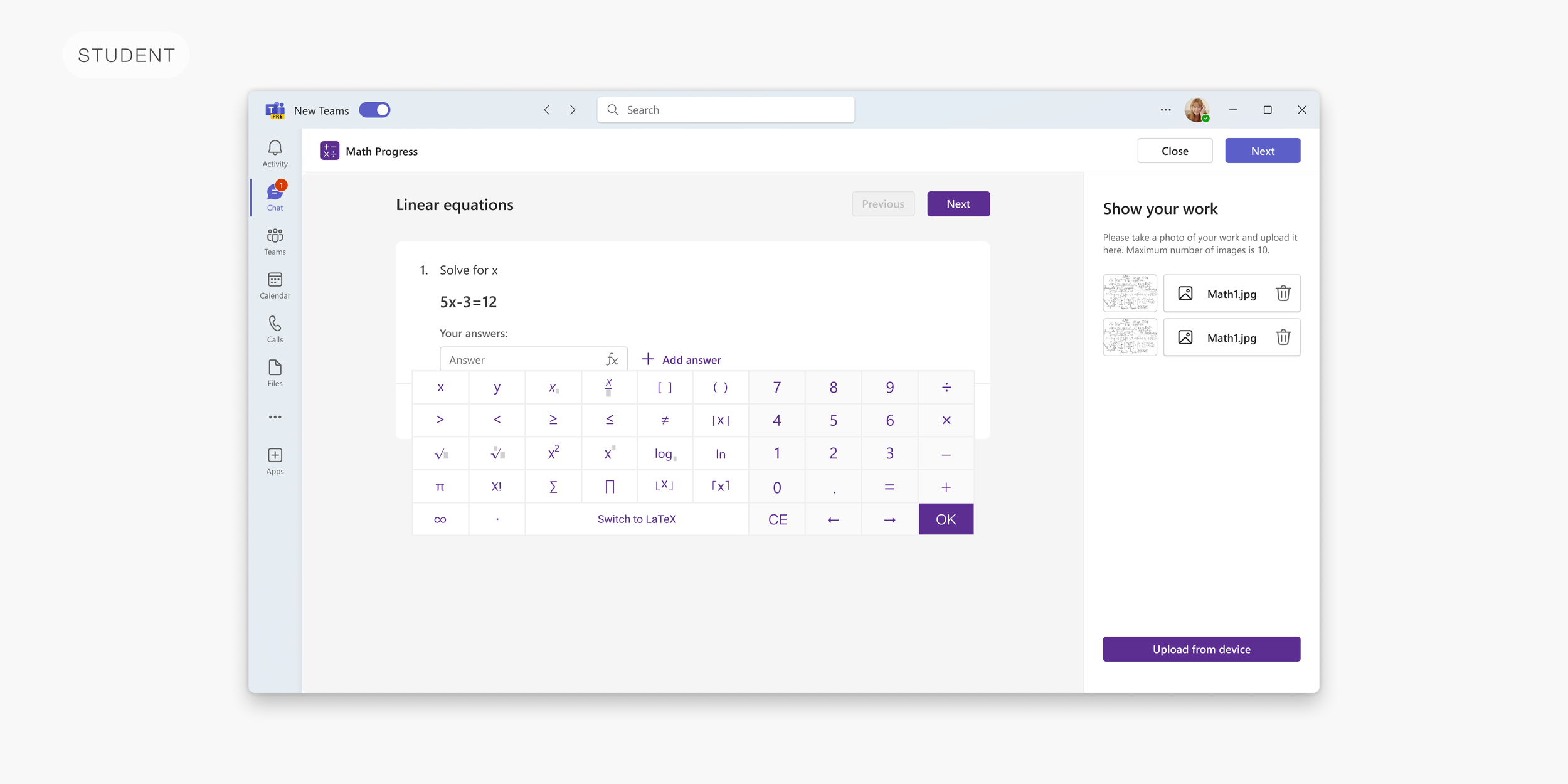
This is the flow where students complete their assignment. The first idea was to put all the questions on one page as we have for teachers. But through time I saw that it can be overwhelming for students so we have a question per page concept. We provide the math keyboard for easier input. If the teacher required, the student is obligated to upload the image of their work.
3. Review flow

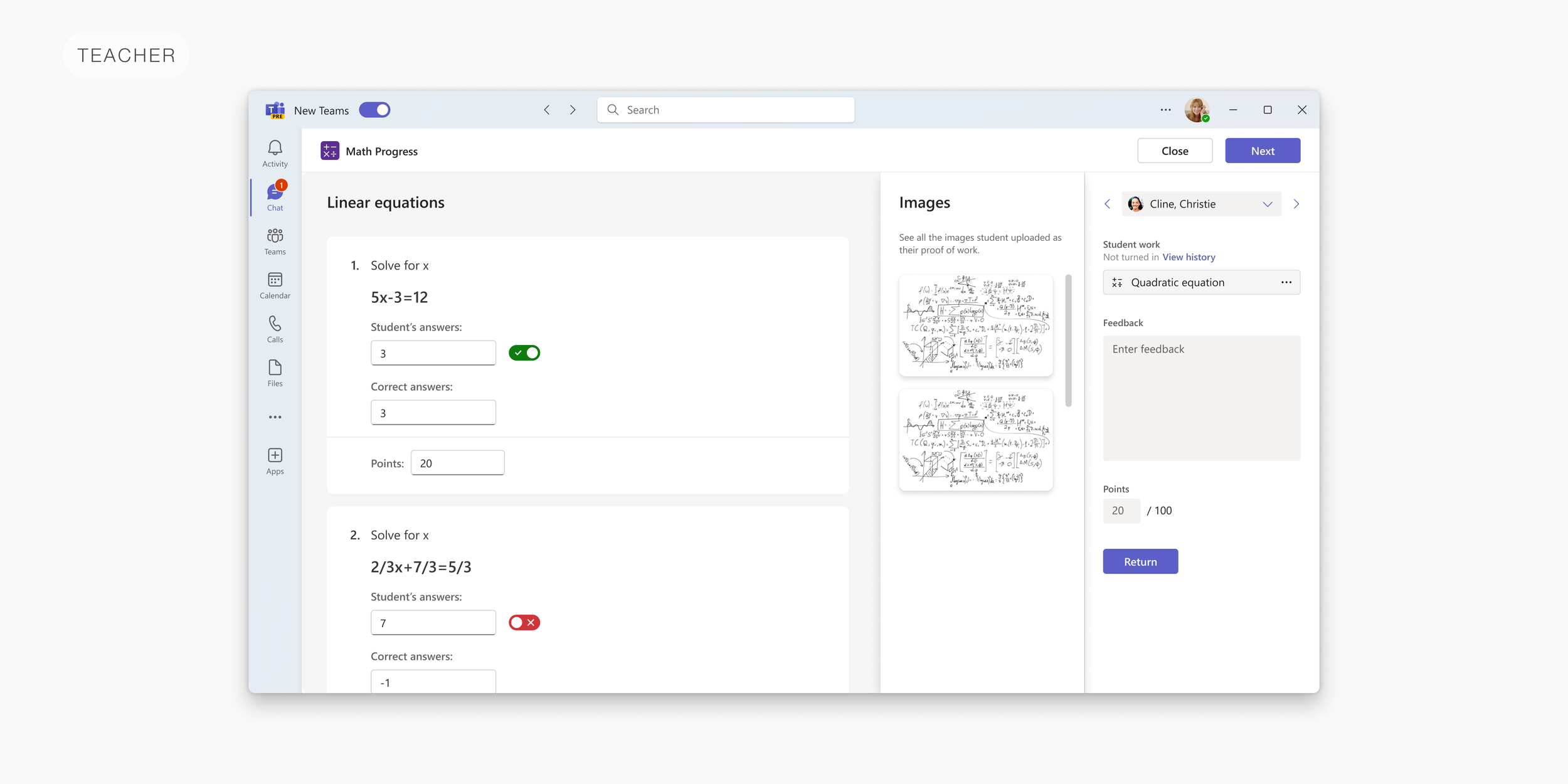
In this step, the teacher goes through the student’s answers. The teacher cannot change the answer itself but can change our mark. So even if our system says it’s incorrect, the teacher can mark it as correct. Here we also introduced the mistake categories which help later teachers to group the students by the mistake they make and help them learn.
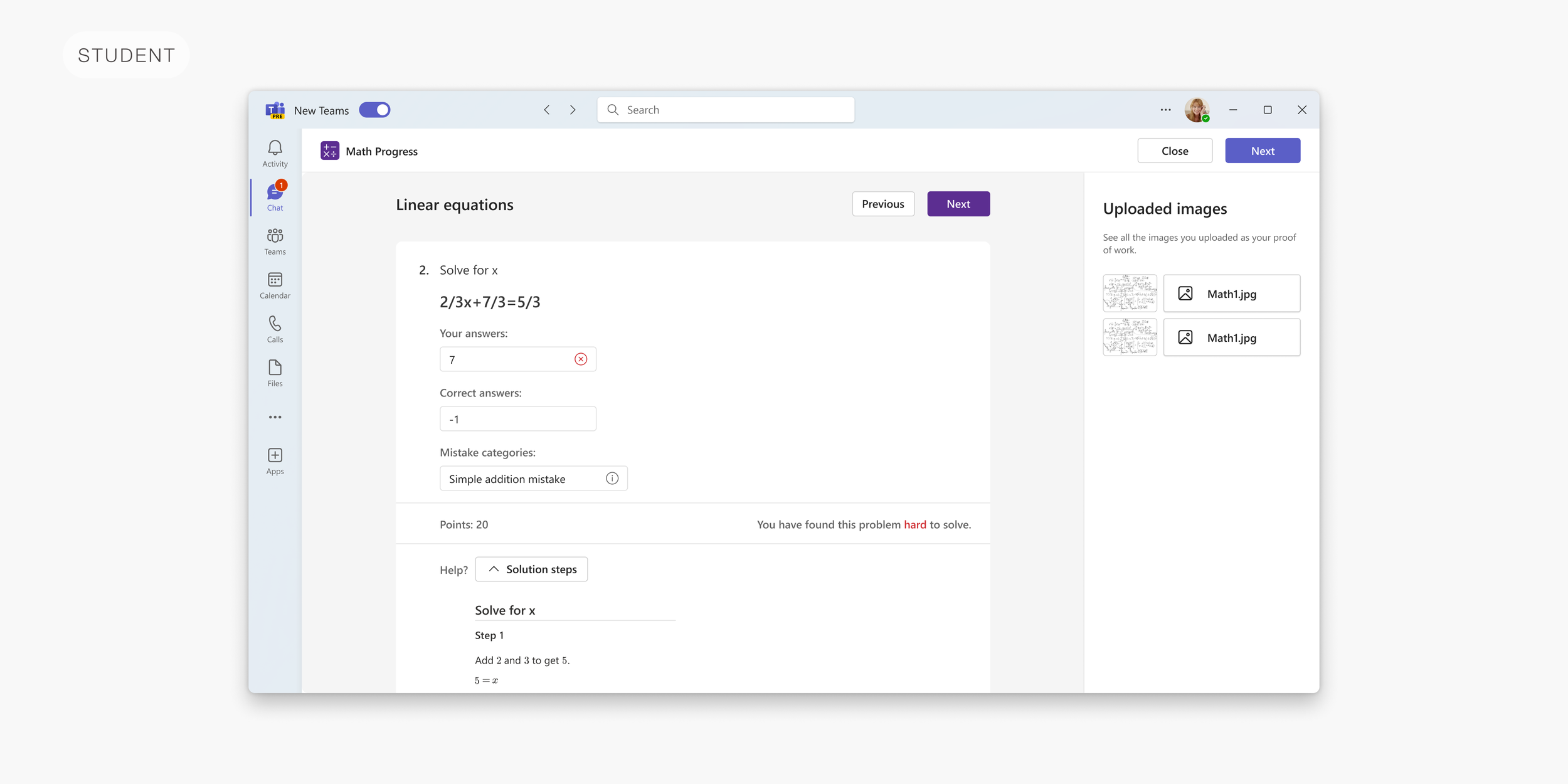
4. Returned to student flow

While reviewing their points and grades, students can see the solution steps for each problem. This is part of the Math Coach which helps students learn on their mistakes.

5. Insights flow
The team from Izrael is working on the Insights in Teams for all the Learning Accelerators. Math Insights will provide teachers with all the data they need - tables and charts with students, math problems and answers, progress over time, groups based on mistake categories, etc.